
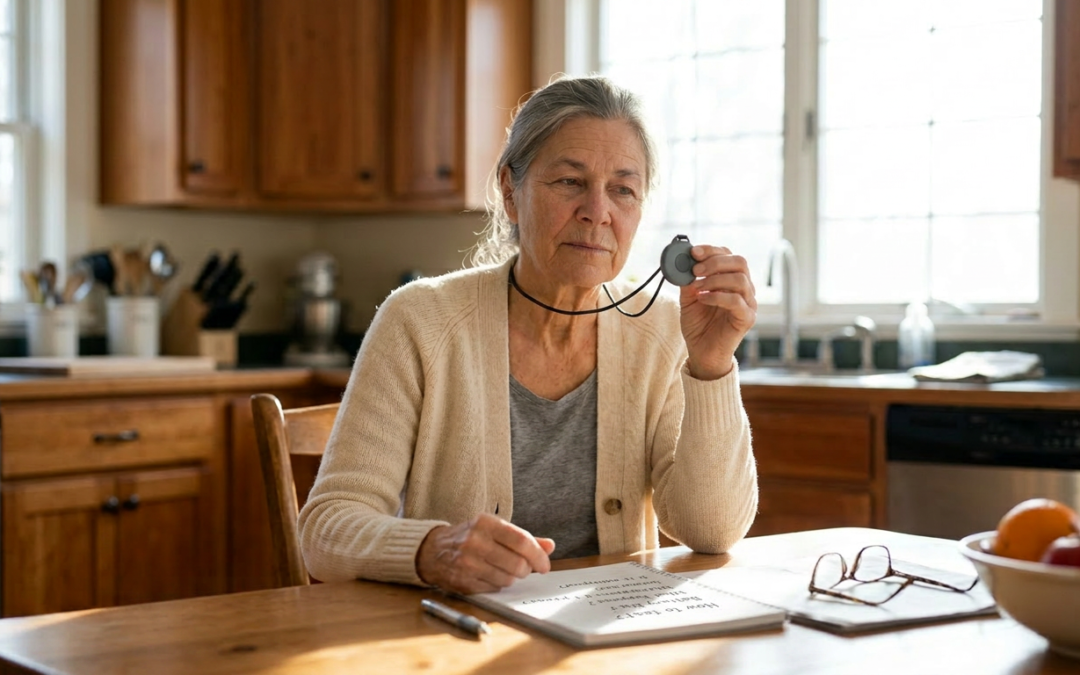
If you search “best medical alert systems,” you will get a hundred articles that look like comparisons and are actually advertisements. Ranked lists where the number one pick is whoever paid the most. Editor’s scores nobody can explain. Countdown timers. A photograph of someone’s grandmother looking frightened.
This is not going to be that. I am not going to give you a fake ranking or a number I made up. I am going to tell you how these systems actually differ, what genuinely matters when you choose one, what is marketing noise, the exact questions to ask before you sign anything, the company I would start with, and the famous name I would steer you away from, plainly and with reasons.
One thing first, plainly. I have not yet entered any affiliate relationships in this category, which means as I write this I make nothing on any link in this article, period. When that changes, I will tell you in writing, at the top of the page and next to the specific link, every single time. The promise is that I will say honest things about the companies here whether or not I earn from any of them, and I will tell you plainly when something in this industry is not worth your money. That promise has to hold either way. If it ever stops, the article is not worth reading anyway.
First, an honest question: do you actually need one yet?
Not everyone reading this needs a medical alert today, and the honest articles say so.
A medical alert earns its place if you live alone, or are alone for stretches of the day, or have had a fall, or have a condition that could leave you suddenly unable to get to a phone. It also earns its place when the person who would worry most is not you but the people who love you, and the device buys everyone some peace. That is a real reason, not a lesser one.
I wrote about being skeptical of this whole category, and I want to bring the same honesty here. This is not about admitting you are old. It is the same logic as a smoke detector. You install it precisely because you do not expect a fire, and you would rather have it doing nothing on the wall for ten years than need it once and not have it. It is infrastructure, the same as a grab bar or the folder of documents. You hope it stays boring.
If none of that describes your life right now, it is reasonable to bookmark this and come back. If some of it does, keep reading.
The four kinds, in plain language
Almost every product on the market is a version of one of these four. Get the category right first; the brand comes after.
1. In-home system, landline. A base unit plugs into your home phone line, with a wearable button. You press it, the base unit calls a monitoring center, you talk through the base unit’s speaker. The cheapest option. The honest downsides: it only works inside the home and within range of the base, and it needs a landline, which fewer people keep every year.
2. In-home system, cellular. Same idea, but the base unit uses a cellular signal instead of a landline, so no phone line is needed. Still only works at home and within range of the base. Good for someone who is mostly home and has dropped their landline.
3. Mobile system with GPS. A small unit you carry or wear that works anywhere there is cell coverage, using GPS so the monitoring center can locate you if you cannot say where you are. This is the one for a person who still drives, walks, gardens, leaves the house. The honest downside: it depends on cell coverage and needs more regular charging than a simple home pendant.
4. Wearable, watch or pendant style, often with optional fall detection. A device worn like a watch or necklace, usually mobile and GPS-enabled, sometimes blending in enough that people will actually wear it, which matters more than any spec. Fall detection is usually an add-on here and on the mobile units.
A word on fall detection, because the ads oversell it. It is sensors that try to detect a fall and call for help even if you do not or cannot press the button. It is genuinely useful for the right person. It is also not perfect. It can miss some falls and it can false-trigger on things that are not falls, and it typically costs extra per month. It is worth having for many people. It is not the magic guarantee the commercials imply, and any company that tells you it catches every fall is selling, not informing. One of the famous names in this category, as a matter of fact, does not even offer fall detection because they say the false-alarm rate is too high. There is some truth in that and there is also some convenience for them in saying it. More on that name in a minute.
What actually matters (and what is just noise)
Here is where the honest comparison really lives. Not in a spec table. In knowing what to weigh.
The monitoring center is the product. When you press that button, a person answers. Everything else is packaging around that moment. Ask whether the monitoring center is based in the United States, whether its operators are certified, and whether it is staffed every hour of every day. Two of the certifications to look for are UL-Listed (the safety standard) and CSAA Five Diamond (an industry monitoring-center quality mark). They are not a guarantee of anything, but their absence is a signal.
The total cost, not the headline cost. The monthly price in the ad is rarely the real number. Ask about equipment cost, activation fees, the price of adding fall detection, and what the price becomes after any introductory rate ends. Get the all-in first-year figure in writing.
The contract and the exit. This is where the worst of the industry lives. Ask if it is month-to-month or a long contract, whether there is a cancellation fee, and whether you get a refund if it does not work out in the first month. A company that makes leaving hard is telling you something about how it sees you.
Whether it works where you fall. A device that is not waterproof and lives on the bathroom counter is useless, because the bathroom is where the bad ones happen. It has to be something worn in the shower. Range and battery life matter for the same reason: the system only helps if it is on you and working at the moment it is needed.
Whether the person will actually wear it. The most advanced system in a drawer protects no one. Comfort, weight, and whether it looks like something a person is willing to have on their body all day are not minor details. They are the whole thing.
The noise, by contrast: lifetime price-lock promises, limited-time discounts that are never actually limited, celebrity spokespeople, and any advertisement built on making you afraid. None of that tells you whether the center answers fast and the device gets worn.
The questions to ask before you sign anything
Print these. Take them to every sales call. A good company answers all of them without dancing.
- Is this month-to-month, or is there a contract? How long?
- What is the total cost for the first year, including equipment, activation, and fall detection?
- What is the cancellation policy? Is there a refund if it does not work out in the first 30 days?
- Where is the monitoring center? Are the operators certified, and is the center UL-Listed and CSAA Five Diamond?
- What happens during a power outage or internet outage? How long does the backup battery last?
- Is fall detection included or extra, and what are its honest limitations?
- Can a spouse or second person in the household be covered, and at what cost?
- Is the wearable waterproof, so it can be worn in the shower?
- What is the battery life, and how is it charged or replaced?
If a salesperson is vague on cost, contract, or cancellation, that is your answer. Move on.
The provider I would start with
If you want one name to begin with, on the merits, mine is Bay Alarm Medical.
Independent reviewers including PC Mag, NCOA, SafeHome.org, and The Senior List have ranked Bay Alarm at or near the top of the category for 2026, and the reasons they cite are the reasons that matter under the framework above. The monitoring centers are US-based, located in Utah and Idaho, and carry both UL-Listed and CSAA Five Diamond certifications. The plans are month-to-month with no long-term contracts and no activation fees, and there is a 15-day risk-free trial, which is the right way to learn whether a device fits your life. They offer the full range of categories described earlier, from a simple in-home landline unit to mobile GPS wearables and a smartwatch-style option, with fall detection available as an add-on rather than a quietly required upcharge.
I am not telling you it is the only good option. I am telling you it is the one that does not require you to compromise on any of the things the framework above says actually matter, and that makes it the cleanest place to begin your two-or-three-quote comparison.
Bay Alarm Medical — current pricing
Verified May 2026. Pricing changes; always confirm directly with the company before signing up.
- In-home landline (SOS Home): $27.95 per month
- In-home cellular (SOS Home Cellular, 4G LTE): $34.95 per month
- Mobile and smartwatch options: additional plans available; pricing varies by configuration. Get a current quote.
- Fall detection add-on (any plan): $10 per month
- No long-term contracts, no activation fees, 15-day risk-free trial
Source: Bay Alarm Medical (bayalarmmedical.com), confirmed May 2026.
Another established name worth a quote
Medical Guardian is another major national provider with the full range of in-home and mobile options, including a smartwatch product. Reviews vary, and that is honest to say. It is worth getting a quote from them alongside Bay Alarm, running both through the questions list, and choosing on the answers rather than the brand recognition.
One naming-confusion warning, for your protection
There are two similarly named companies and they are not the same business. MedicalAlert.com (operated by Connect America) is one. Medical Care Alert (medicalcarealert.com) is a different, smaller company. Both are real, both are reputable, but if you call one and quote a price you saw for the other, the conversation will go sideways. When you compare quotes, write the full URL or the parent company next to each, not just the words “Medical Alert.”
About the famous one, plainly
I want to talk about Life Alert specifically, because it is almost certainly the name that came to mind when you started reading this. The “I’ve fallen and I can’t get up” commercials are decades old at this point. The brand is real. The monitoring center is real. It is not a scam company, and I do not want anyone to come away thinking that is what I am saying.
But Life Alert is not on my shortlist, and I want to tell you exactly why, with reasons.
Independent reviewers consistently report that Life Alert costs meaningfully more than comparable competitors and requires a three-year contract that is genuinely hard to cancel outside of specific circumstances. The company does not offer fall detection at all; their position is that the technology produces too many false alarms, which is partly true and partly a convenient thing for the only major national brand without fall detection to say. Independent comparison testing has reported their response times as slower than the industry average. They also do not sell online. All purchases go through a phone call, which is fine in principle, but in practice that sales process tends to be the part of the buying experience people describe least warmly.
None of that makes them disreputable. It makes them the company I would tell my own family to compare against, not the one to start with. If your shortlist is Bay Alarm and one other, and Life Alert’s quote comes in higher, on a longer contract, without fall detection, the comparison answers itself.
One more thing, and this is the part I want to say plainly so you can weigh it. Life Alert does not run an affiliate program. They sell only by phone, not online, and there is no commission model for outside writers to begin with. I earn nothing whether you choose Life Alert or you do not. The companies I have flagged as worth a quote, I may eventually earn from. The famous one I have just told you to look hardest at, I will not. Read accordingly.
What I would personally weigh
I am not going to tell you what to buy, because the right answer depends on your life, not mine. But since people always ask what I would do:
If I lived alone, I would care most about three things, in this order. A wearable I would genuinely keep on, including in the shower. Month-to-month terms so I was never trapped. And a monitoring center I had confirmed was US-based and certified. I would add fall detection, knowing it is imperfect, because imperfect help for a fall I cannot call about is still better than none. The lowest price would not be my deciding factor, and the loudest advertisement would not even make my list.
That is a way of thinking, not a recommendation. Bring your own life to it.
Where to go from here
If you have read this far, you are doing the thing most people do not, which is choosing on purpose instead of buying whatever ad reached you on a bad week.
Take the questions list. Get two or three real quotes, starting with Bay Alarm. Decide the way you would decide anything that matters, with the numbers in front of you and the pressure turned off. And if it helps to see where this fits among the other parts of staying in your home, the rest of the technology pillar goes deeper, and the Independence Assessment scores you across all five pillars in three minutes and tells you which one needs you first.
A medical alert is not a verdict on how old you are. It is a smoke detector for a different kind of emergency. Choose it the same way: calmly, before you need it, and then mostly forget it is there.
I’m glad you’re here.
Anne